Maintenance
Preventive maintenance
Draining the hoses
The hose under the tank must be connected to the tank.
The valve under the tank must be closed.
- Place a container under the filling station.
- Turn the AUTO / O / MAIN selector switch to the O position.
- Press the PURGE button as many times as necessary.

When the hoses are empty, no liquid enters the syringe of the filling station.
Drain the tank
The hoses must be drained, .
The valve must be closed.
- Disconnect the hose under the tank.
- Place a container under the valve of the tank.
- Open the valve under the tank so that the liquid flows into the container.
Clean the hoses
The hoses must be drained,.
- Fill the tank with clean water.
- Drain the hoses again ().
Troubleshooting
|
Fault
|
Cause
|
Solution
|
| Production stops without user intervention. | Bottle jam on the output conveyor. | Remove bottles from the output conveyor (See). |
| No bottle on the infeed conveyor. | Feed bottles onto the input conveyor (See). | |
| Production does not stop when there are no more empty bottles on the input conveyor. | Dirty optical sensor. | Clean the optical sensor. |
| Faulty optical sensor. | Replace the optical sensor. | |
| Production does not stop when there is a load jam on the output conveyor. | Faulty capacitive sensor. | Replace the capacitive sensor. |
| The EN SERVICE (In service) indicator light does not light up. | Faulty bulb. | Replace the bulb (). |
| The DEFAUT indicator does not turn on | Faulty bulb | Replace the bulb (). |
Corrective maintenance
Replace the bulb of the EN SERVICE (In service) illuminated button
The machine must be powered off.
- Unscrew the transparent cap.
- Unscrew the colored cap.
- Press and turn a finger placed on the bulb to unscrew it.
- Press and turn a finger placed on the new bulb to screw it in.
- Screw the green cap back on.
- Screw the transparent cap back on.
A white plastic disc is placed inside the colored cap.
The caps are fragile; screw carefully.
Replace the bulb of the DEFAUT (Default) indicator light
The machine must be powered off.
- Unscrew the colored cap.
- Remove the bulb.
- Install the new bulb.
- Screw the colored cap back on.
A white plastic disc is placed inside the colored cap.
The caps are fragile; screw carefully.
Spare parts catalogue
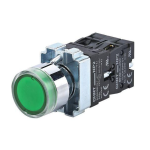 |
EN SERVICE (In service)
illuminated button
Ref
6348254
|
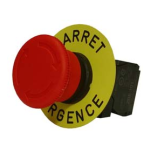 |
ARRET D'URGENCE
(Emergency Stop) button
Ref
6348254
|
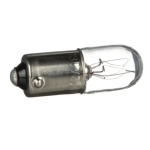 |
Bulb
Ref 6348254
|
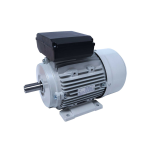 |
Motor
Ref
6348254
|
|
Sensor
Ref
6348254
|
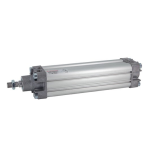 |
Actuator
Ref 6348254
|
For further information, please contact:
RAVOUX AUTOMATISMES
Rue de l’industrie - ZI Vichy Rhue
03300 CREUZIER LE VIEUX
+33 470 974 862